I try out the systems I advise to the people. I am a Linux user with a significant background in debugging and solving errors in the system. Being a Debian user since the Woody/Sarge times I welcomed Ubuntu Linux early when it was released the first time. It was a solid, user friendly system for more than a decade. Unfortunately I experience serious quality degradation in the past years.
Ubuntu Linux slowly stops helping the users who just jumped the Linux train and start using it as their first distribution. More and more cryptic error messages and strange errors scare away the basic users. After I got some information from a fellow Linux user colleague I conducted a simple experiment:
A distribution upgrade from 22.04 LTS to the 22.10 version.
TL;DR: it failed as it was described for me before.
The upgrade
- I had an Ubuntu Linux 22.04 installation
- I had to update this version with the latest packages
- The release upgrade was advertised by the Software Update manager tool then
- The dist upgrade failed
The upgrade process should be easy and straightforward. The update manager software notices the new version of Ubuntu release (22.10) and it asks the user to choose: upgrade now, later or don’t upgrade. It is fine, let’s upgrade now after we have a fresh 22.04 system.
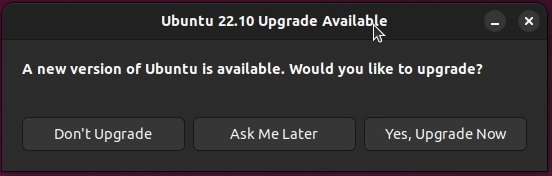
After reading the changelog and the notes, the upgrade manager does its work: changing the repository sources, downloading metadata and calculate the changes. Here comes the issue.

Unfortunately the error message tells the user to check system logs without any explanation of the problem. A new Linux user can be scared away from the system at this point.

Let’s assume that the new Linux user already has some field experience in reading log files, and check the file from the error message!

At this point we can start using Google to search for the error message. My first ten results showed that a package is marked for being held in a defined version number. That’s why the upgrade tool cannot modify (upgrade) the metapackage.
After checking the packages with apt-showhold it turned out that there are no held packages in the system, and the apt package manager sees the ubuntu-desktop metapackage as a broken one.
Either we can start Googling and trying to fix the error, or as a simple user we may give up the debugging and look for a system with less inconveniences.
If you have a comment or other opinion, visit Tom’s IT Cafe Discord Server and share it!
 Tom's IT Cafe