We all have secrets. Whether it’s our bank account details, our social media passwords, or our personal information, we don’t want anyone to access them without our permission. But how do we keep our secrets safe in the digital age, where hackers, phishing scams, and data breaches are frequent?
ProtonPass is not paying me to write this post, I am sharing my opinion as a customer.
One solution is to use a password manager. A password manager is a software that stores and encrypts your passwords for different websites and apps. It also generates strong and unique passwords for you, so you don’t have to remember them or use the same one everywhere. With a password manager, you only need to remember one master password that unlocks all your other passwords.
But not all password managers are created equal. Some may have security flaws, privacy issues, or limited features. That’s why I decided to review ProtonPass, a new password manager from the developers of ProtonMail, the world’s largest encrypted email service.
What is ProtonPass?
ProtonPass is a password manager that integrates with ProtonMail, ProtonVPN, and ProtonDrive, the other products from the Proton suite. It allows you to store and sync your passwords across your devices, using end-to-end encryption and zero-knowledge architecture. This means that only you can access your passwords, and not even Proton can see them.
ProtonPass also offers some unique features, such as:
- Two-factor authentication (2FA) for extra security
- Secure password sharing with other Proton users
- Password breach alerts that notify you if your passwords have been compromised
- Password health analysis that helps you improve your password strength and security
- Password generator that creates strong and random passwords for you
- Password autofill that fills in your passwords on websites and apps automatically
- Cross-platform compatibility with Windows, Mac, Linux, Android, iOS, and web browsers
How to Use ProtonPass?
To use ProtonPass, you need to have a Proton account. If you already have one, you can simply log in to your ProtonMail or ProtonVPN app and enable ProtonPass from the settings. If you don’t have one, you can sign up for free at https://protonmail.com/signup.
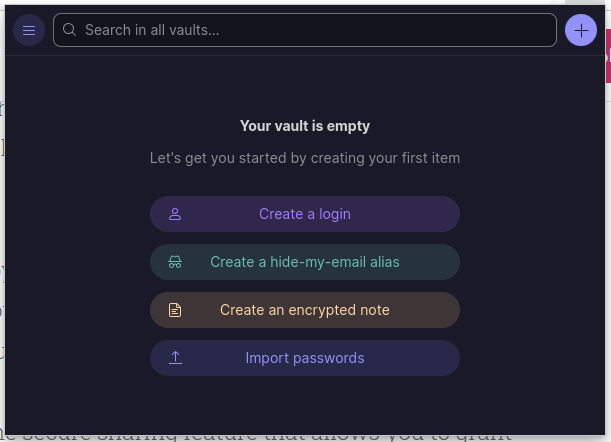
Once you have enabled ProtonPass, you have to install the browser extension for it. Every major browser is supported by the extension. After installing it, you have to log in with your Proton account.
Now ProtonPass is ready to work!
You can either import passwords from another password manager or browser, or manually enter them one by one. You can also create folders and labels to organize your passwords by category. You can generate strong passwords with using the plus ( + ) button and choosing the “Password” from the menu.
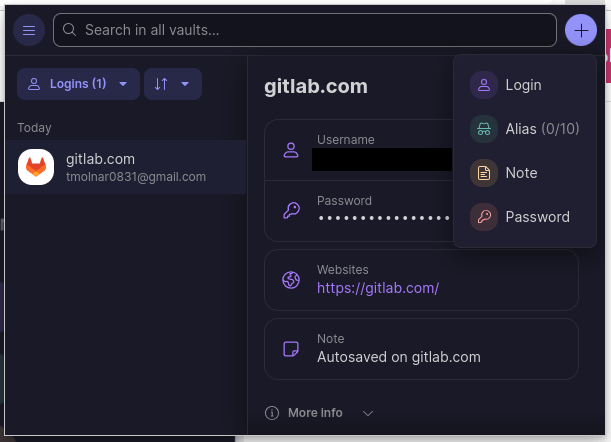
The next time you try to log in a page with stored credentials in the system, ProtonPass will allow you to autofill your username and password. Alternatively you can copy and paste it from the extension window.
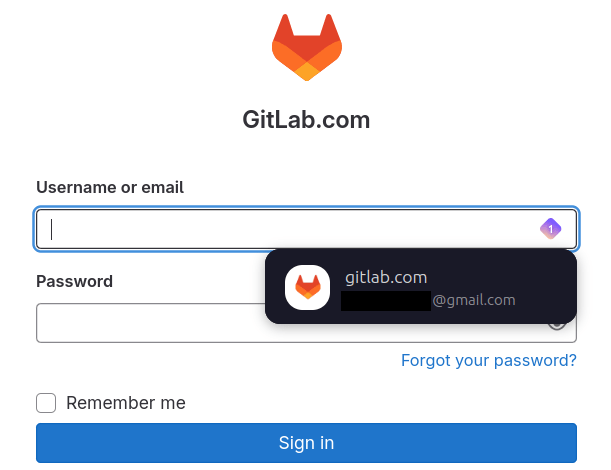
To access your passwords on other devices, you need to install the ProtonPass app or extension on them. You can download them from https://proton.me/pass/download. You will also need to enter your master password and a second factor (such as a code from an authenticator app) to unlock your vault.
To use your passwords on websites and apps, you can either copy and paste them from the ProtonPass app or extension, or use the autofill feature that automatically fills in your credentials when you visit a login page. You can also generate new passwords with the password generator when you sign up for a new account.
To share your passwords with other Proton users, you can use the secure sharing feature that allows you to grant access to specific passwords or folders. The recipient will need to accept your invitation and enter their master password and second factor to view the shared passwords.
To check your password health and security, you can use the password analysis feature that shows you how strong and secure your passwords are. It also alerts you if any of your passwords have been exposed in a data breach or if they are reused or weak.
Why Choose ProtonPass?
ProtonPass is a password manager that offers high security, privacy, and convenience. It uses end-to-end encryption and zero-knowledge architecture to protect your passwords from hackers and third parties. It also integrates with other Proton products to provide a seamless and secure online experience.
ProtonPass is also easy to use and has a user-friendly interface. It has features that help you create, store, sync, autofill, share, and manage your passwords effortlessly. It also supports multiple platforms and browsers, so you can access your passwords anywhere.
ProtonPass is also affordable and transparent. It has a free plan that lets you store up to 50 passwords on one device. It also has paid plans that offer more storage space, more devices, more features, and more support. You can see the pricing details at https://protonpass.com/pricing.
ProtonPass is a password manager that we recommend for anyone who values their online security and privacy. It is a reliable and trustworthy solution that keeps your secrets in a safe place.
Final Thoughts
ProtonPass is under heavy development, currently it is a browser extension in Linux. You must be logged in to your ProtonMail account to be able to use it. It would be fine to use a master password without keeping our ProtonMail logged in.
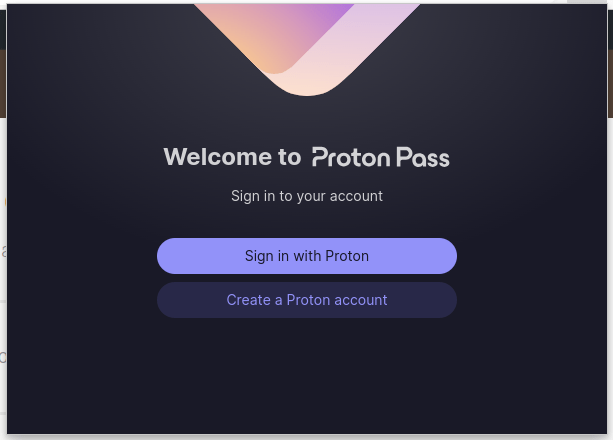
It is rough at the edges here and there, like you cannot resize the ProtonPass browser extension window.
I have not found any ETA for the desktop clients for Linux and Windows at the time I write this post.
ProtonPass is a great addition to the Proton suite, and I eagerly wait for the developments and fixes around it.
ProtonPass is not paying me to write this post, I am sharing my opinion as a customer.
 Tom's IT Cafe